
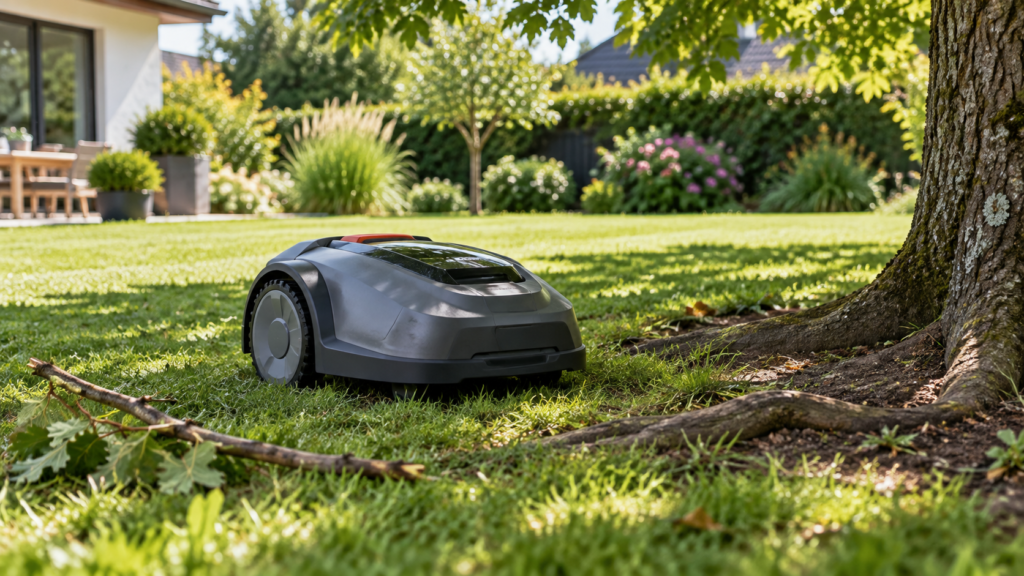
A robot mower that keeps stopping is usually reacting to something specific.
The cause may be as simple as tall grass or a blocked wheel, but repeated stopping can also point to navigation loss, a boundary problem, battery temperature, a triggered safety sensor, or an automatic weather/smart-home rule.
The fastest way to diagnose it is to answer two questions:
Does the mower stop in the same physical place every time?
and:
What message does the mower or app show when it stops?
Those two clues can narrow the problem dramatically.
Quick diagnosis
| What you notice | Check first |
|---|---|
| Stops in exactly the same spot | Obstacle, slope, root, narrow passage or weak navigation signal |
| Stops randomly around the yard | App/error message, battery, sensors or connectivity |
| Stops under trees or beside buildings | RTK/GPS/navigation reception |
| Stops in thick or tall grass | Blade load and cutting height |
| Stops with wheels spinning | Wheel obstruction, wet ground or traction |
| Stops after being lifted/bumped | Lift/tilt safety sensor |
| Stops only during rain/cold conditions | Weather routine or mower protection setting |
| Stops with “Searching for satellites” | GNSS/RTK positioning |
| Stops with “No correction data” | Network/correction-data connection |
| Stops with boundary/loop error | Boundary-wire system |
| Stops soon after leaving charger | Battery, charging or navigation near dock |
| Appears stopped but says “Parked” or “Paused” | Schedule, app command or smart routine |
Before changing the installation, read the mower’s current status or error message.
That is often more useful than restarting it immediately.
1. Check whether the mower is actually reporting an error
Start with the mower display or app.
Look for messages related to:
blocked blade
blocked wheel
lifted mower
outside working area
no loop/boundary signal
searching for satellites
reference-station connection
battery temperature
paused
parked
A robot mower may appear to have “stopped randomly” when it is actually carrying out a safety function or an automated rule.
For example, current Husqvarna Automower systems can stop or park because of manual pause commands, app commands, weather-related Smart Routines, or certain ECO-mode behavior.
So first distinguish:
fault
from:
intentional pause/park behavior
2. If it stops in the same place, inspect that location
Repeated location-specific stopping is one of the strongest troubleshooting clues.
Test
Watch the mower through the problem area.
Check for:
- exposed tree roots
- holes or dips
- thick grass
- soft soil
- rocks
- toys or branches
- steep transitions
- narrow passages
- tree canopy
- buildings blocking satellite visibility
Then move the mower a few feet away and restart it.
Solution
If the mower works normally everywhere except that one location, fix the yard condition rather than repeatedly rebooting the mower.
That might mean:
moving an obstacle, filling a hole, trimming very tall grass, adjusting a virtual boundary, excluding exposed roots, or investigating weak positioning in that area.
If the problem happens beneath trees, see:
Robot Mower Loses Signal Under Trees? What Actually Helps
3. Check for weak RTK/GPS positioning
Wire-free robot mowers can stop when they no longer know their position accurately enough to remain inside a virtual boundary.
Current Husqvarna EPOS systems, for example, may stop while searching for satellites, when correction data is unavailable, or when communication with a local reference station is lost.
Test
Ask whether the mower stops mainly:
under trees, beside the house, near tall fences, in a narrow side yard, or in other locations with poor sky visibility.
Then move it into an open part of the lawn.
Solution
If positioning returns in open sky, troubleshoot the navigation environment rather than assuming the mower has a mechanical problem.
Start here:
Robot Mower Losing RTK or GPS Signal? How to Find the Cause
If the reference station itself appears weak, also see:
How to Improve RTK Signal on a Robot Lawn Mower
4. Check whether the blade disc is blocked
A robot mower can stop when grass or an object prevents the cutting system from rotating normally.
Current WORX support, for example, lists branches and other objects blocking the blade disc as a cause of blade-motor faults. Thick grass can also overload the cutting system.
Test
Turn the mower off completely according to the manufacturer’s safety instructions.
Inspect underneath for:
wrapped grass, sticks, string, debris, or another object restricting the blade disc.
Do not touch the blades until the mower is safely powered down.
Solution
Remove debris safely and confirm that the blade system can move as intended according to the mower’s manual.
If the grass is very tall or dense, raise the cutting height and reduce it gradually rather than forcing the mower through overgrown grass.
Robot mowers are generally designed to maintain grass frequently, not recover an severely overgrown lawn in one mowing session.
5. Thick or wet grass can overload the mower
Even without a hard obstruction, heavy grass can create enough resistance to trigger repeated stops or reduce runtime.
WORX specifically warns that thick grass can overload the blade motor and that wet grass can increase debris buildup and reduce wheel traction.
Test
Compare the stopping pattern.
Does the mower stop mainly:
in the longest grass, in wet shaded areas, first thing in the morning when dew is heavy, or after several days without mowing?
Solution
Let the lawn dry where practical.
Raise the cutting height temporarily and mow more frequently until the lawn is maintained at the desired height.
Also clean accumulated grass from the underside according to the manufacturer’s instructions.
6. Check the wheels and traction
A mower may stop because one or more drive wheels cannot rotate properly.
WORX’s current support for its Vision models specifically identifies blocked wheel motors as a cause of stopping and recommends checking for anything preventing the wheels from rotating.
Test
With the mower safely powered down, inspect:
wheel treads, axles, trapped grass, mud, twigs and other debris.
Also inspect the location where it stopped.
Was the ground:
wet, muddy, steep, soft, deeply rutted, or covered in loose material?
Solution
Clean the wheels and remove the obstruction.
If the mower repeatedly loses traction in the same yard area, the real problem may be terrain rather than the motor itself.
A traction problem on a slope, exposed roots or rough soil should eventually be treated as a yard-fit issue, not simply an error to reset.
7. Check lift, tilt and safety sensors
Robot mowers intentionally stop their cutting system when safety sensors indicate that the machine has been lifted, overturned or placed in an abnormal position.
WORX, for example, documents mower-lifted and upside-down conditions as safety-triggered states.
Test
Look for:
low branches contacting the mower, roots lifting one wheel, deep holes, high lawn edges, objects wedged beneath the chassis, or rough terrain causing the mower to tilt unexpectedly.
Solution
Remove the obstacle or correct the terrain where practical.
If the mower reports a lift/tilt condition while sitting normally on flat ground with no obstruction, consult the manufacturer’s troubleshooting instructions because the sensor may need inspection.
Do not bypass a safety sensor.
8. Boundary-wire problems can make a mower stop
For perimeter-wire systems, loss of the loop/boundary signal can make the mower stop or report that it is outside the working area.
WORX’s current documentation lists broken, disconnected or incorrectly connected boundary wire as common causes of boundary-signal errors.
Test
Check the charging/base-station indicator.
Then inspect whether:
the boundary wire is properly connected, the wire has been cut, connectors are damaged, or recent garden work may have disturbed the installation.
If the mower stops only in one particular part of a very large wired installation, also check the manufacturer’s maximum supported wire length.
For example, WORX documents signal problems on one Landroid model when extended boundary wire exceeds its specified length.
Solution
Repair the loop using the manufacturer’s supported waterproof connectors and installation method.
Do not make improvised outdoor wire joints that can corrode and create intermittent faults later.
9. Check battery state and temperature
Battery problems can also appear as repeated stopping.
Possible clues include:
shorter-than-normal mowing sessions, sudden shutdown, difficulty restarting, unusual charging behavior, or battery-temperature warnings.
WORX currently documents a battery temperature out of range condition that pauses operation until the battery returns to an acceptable temperature.
Husqvarna also notes that a deeply discharged battery—particularly after long storage—can prevent a mower from operating normally until fully recharged.
Test
Check:
battery percentage, charging history, battery-temperature warnings, unusually short runtime, and whether the mower charges fully.
Solution
Allow an overheated or very cold battery to return to an appropriate operating temperature according to the manual.
Fully charge the mower and retest it.
If runtime has deteriorated substantially despite normal conditions and a clean cutting system, the battery may need further diagnosis.
10. Check the charging contacts and charging station
A mower that does not charge correctly may leave the station with less usable energy than expected or repeatedly return home.
Test
Inspect the charging contacts for:
grass, dirt, corrosion or poor mechanical contact.
Also check:
station power, station alignment, flatness of the installation, and whether the mower docks completely.
WORX documents debris on charging contacts and poor charging-base connections as causes of extended charging times and charging problems.
Solution
Clean contacts according to the manufacturer’s instructions and verify that the charging station is powered and correctly installed.
If the issue is specifically that the mower cannot find or return to the dock, that deserves a separate diagnosis rather than treating it as random stopping.
That will be our next dedicated troubleshooting cluster.
11. Weather settings can intentionally stop the mower
Not every rain-related stop is a fault.
Some mowers use:
rain sensors, frost protection, weather timers or app-based automation.
Current Husqvarna Smart Routines can park compatible mowers because of settings such as Rain Guard, Frost Guard or wildlife considerations.
WORX Landroid models also use rain sensing and can return to the charging station or delay mowing after rain is detected.
Test
When the mower stops, check the app status.
Does it say:
Parked
Rain delay
Frost
or show another weather-related reason?
Solution
If so, the mower may be behaving exactly as configured.
Review weather and smart-home settings before changing hardware.
12. Check schedules, pause commands and shared app access
A mower that stops or refuses to resume can sometimes be responding to software rather than a mechanical fault.
Current Husqvarna support lists several intentional causes:
the physical STOP button, a pause command from the app, connected smart-home services, Smart Routines, and ECO mode.
Test
Check:
the mower status, recent app commands, active schedules, smart-home integrations, and whether multiple people have access to the mower.
Solution
Cancel unwanted pause/park rules and restart according to the manufacturer’s instructions.
If a physical STOP button has been pressed, some mowers intentionally require a local/manual restart for safety.
13. Network-connected RTK can stop when correction data disappears
This is separate from ordinary Wi-Fi app connectivity.
Some robot mowers use cloud/network infrastructure to receive the correction data required for precise virtual-boundary navigation.
Current Husqvarna EPOS-via-Cloud installations, for example, require connectivity across the work area. If correction data becomes unavailable, the mower can stop even though it still sees satellites.
Test
If the app reports:
No correction data available
while satellite reception appears normal, investigate connectivity/correction service rather than moving the RTK antenna.
Solution
Check the specific mower’s:
Wi-Fi, cellular connection, network-RTK status, service availability, and correction-data indicator.
The exact requirement varies by system.
14. Update firmware—but only after checking the obvious physical causes
Firmware updates can fix software bugs and improve mower behavior.
But if the mower stops beside the same tree root every afternoon, firmware is probably not the first thing to investigate.
Test
Firmware becomes more relevant when:
the problem began suddenly, no physical yard condition changed, multiple unrelated errors appeared, or the manufacturer documents a relevant software fix.
Solution
Update using the manufacturer’s supported method, restart the mower and retest.
Avoid factory-resetting or remapping the entire mower as the first troubleshooting step.
That can destroy useful information without fixing the underlying yard problem.
15. Use the stopping pattern to narrow the cause
A useful shortcut is to classify the problem into one of four patterns.
| Pattern | Likely direction |
|---|---|
| Same physical location | Yard, terrain, navigation or boundary issue |
| Same mower activity | Blade, wheel, docking or charging issue |
| Same weather/time | Schedule, rain/frost routine or temperature |
| Truly random everywhere | Error logs, battery, sensors, software or hardware |
This isn’t a diagnosis by itself.
But it tells you where to investigate first.
Common mistakes
The first mistake is restarting the mower before reading the error message.
That can erase the best clue you have.
Another mistake is changing several things simultaneously—moving the RTK station, remapping, updating firmware and changing boundaries at once.
If the problem disappears, you won’t know what actually fixed it.
Also avoid assuming that every unexpected stop means the mower is defective.
Modern robot mowers intentionally stop to protect themselves, the lawn and people when certain conditions are detected.
When to contact the manufacturer or dealer
Contact support when the mower repeatedly stops on flat, clear lawn with no visible obstruction and no obvious navigation problem.
Also seek support if:
the same motor/sensor fault immediately returns after removing obstructions, the mower shuts down completely despite a charged battery, electrical components appear damaged, the battery shows abnormal swelling or heat, or the app consistently reports a hardware error.
Before contacting support, gather:
mower model
firmware version
exact error message
photo of where it stops
battery percentage
whether the problem occurs in the same place
Those details are considerably more useful than simply saying:
“My robot mower keeps stopping.”
Safety
Always turn the mower off according to the manufacturer’s instructions before inspecting wheels or the cutting system.
Remove the removable battery when the manufacturer’s troubleshooting procedure requires it.
Never reach underneath an active mower.
Do not bypass:
lift sensors, tilt sensors, stop switches or other safety systems.
And wear gloves when working around mower blades.
FAQ
Why does my robot mower stop for no reason?
Usually there is a reason even when it isn’t immediately visible.
Common causes include blocked wheels or blades, weak navigation signals, safety sensors, battery temperature, boundary-signal problems, weather automation or app commands.
Start by reading the mower’s current status/error message.
Why does my robot mower stop in the same place?
That strongly points toward something about the location.
Check for obstacles, roots, holes, slopes, thick grass, narrow passages and weak satellite/navigation conditions.
If it happens underneath trees or beside buildings, positioning deserves particular attention.
Why does my mower stop under trees?
Satellite-based navigation can weaken beneath dense canopy.
If the mower works normally when moved into open sky, read:
Robot Mower Loses Signal Under Trees? What Actually Helps
Can tall grass make a robot mower stop?
Yes.
Tall or dense grass can overload the cutting system or cause grass to build up around the blade disc.
Current WORX troubleshooting documentation explicitly identifies heavy grass and blade-disc obstruction as possible blade-motor faults.
Why does my robot mower keep getting stuck and stopping?
Common reasons include poor traction, blocked wheels, holes, exposed roots, steep terrain or obstacles beneath the chassis.
If the mower repeatedly struggles in the same area, changing that part of the yard may be more effective than repeatedly resetting the mower.
Can rain make a robot mower stop?
Yes, depending on the mower and settings.
Some models have rain sensors or configurable weather routines that intentionally delay mowing or return the mower to the charging station.
Why does an RTK robot mower suddenly stop?
Possible causes include weak satellite reception, loss of correction data, reference-station communication problems or network connectivity for systems using cloud/network RTK.
Final checklist
When a robot mower keeps stopping, diagnose it in this order:
1. Read the mower/app error message.
2. Note whether it stops in the same physical location.
3. Inspect the yard for obstacles, roots, slopes and tall grass.
4. Check wheels and cutting system safely.
5. Check RTK/GPS or boundary signal if relevant.
6. Check battery and charging status.
7. Review rain/frost/smart-home rules and schedules.
8. Check firmware only after obvious physical causes are ruled out.
9. Change one thing at a time and retest.
The most valuable clue is usually not that the mower stopped.
It is:
where it stopped, what it was doing, and what message it showed.