
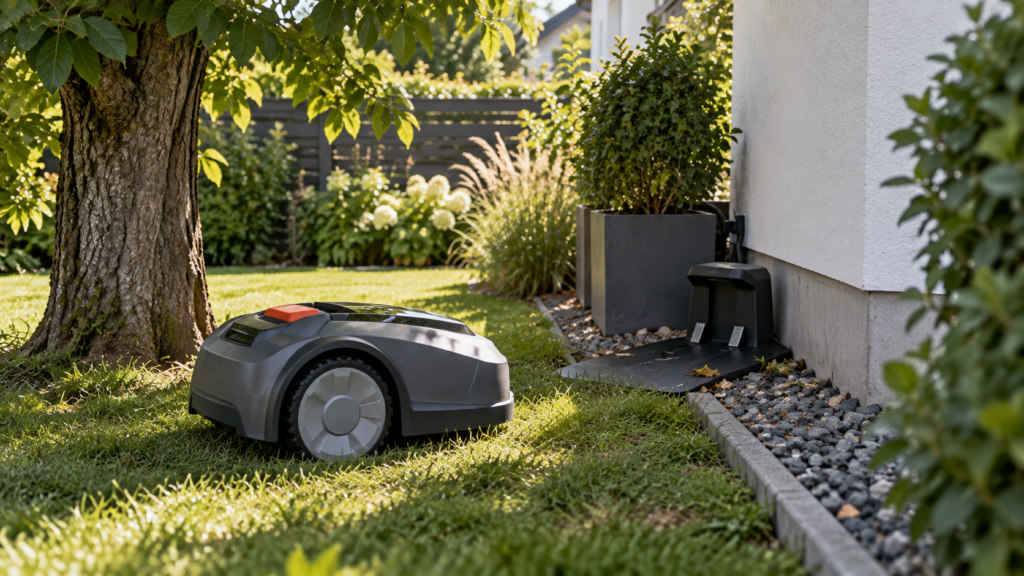
A robot mower that will not return to its charging station does not always have a charging problem.
The mower first has to find the route home, reach the docking area, align with the station, and make proper charging contact.
A failure at any of those stages can look like the same problem.
The fastest way to diagnose it is to watch how far the mower gets.
Quick diagnosis
| What happens | Check first |
|---|---|
| Mower never heads toward the station | Return-home command, map/channel/guide setup |
| Starts returning but stops before reaching it | Battery level, obstacles, navigation signal |
| Gets close but drives past the station | Docking point, station placement, guidance setup |
| Circles near the charging station | Approach path, boundary/guide wire or docking signal |
| Stops beneath trees on the way home | RTK/GPS positioning |
| Cannot cross between lawn zones | Missing or blocked channel/transport path |
| Reaches station but cannot dock | Clearance, alignment, obstacles, uneven ground |
| Docks but does not charge | Charging contacts, station power, battery temperature |
| Worked before but suddenly fails | New obstacle, moved station, map/setup or firmware change |
The key question is:
Can the mower find the station, or can it find the station but fail to dock?
Those are different problems.
1. Tell the mower to return home manually
Before changing the installation, test the return-home function directly.
Most modern mowers have a Recharge, Home, or Return to Charging Station command in the app or on the mower itself.
Mammotion, for example, lets compatible YUKA models return through a Recharge command and provides both Direct and Follow the Perimeter return methods. (support.mammotion.com)
Test
Start with the mower inside a valid mowing/task area.
Send it home manually.
Then watch what happens.
Does it:
- immediately calculate a route?
- drive in the wrong direction?
- reach the general station area?
- stop halfway?
- reach the dock but fail to enter?
That behavior tells you which section of this guide to focus on.
2. Make sure there is actually a route back to the station
This is especially important for multi-zone and wire-free installations.
A mower cannot automatically return if the charging station and mowing area are not connected in a way the mower understands.
Mammotion explicitly states that a channel must exist between task areas and the charging station for applicable systems; without one, the robot cannot automatically return for charging when its battery is low. (support.mammotion.com)
Test
Open the mower map and inspect the route between:
mowing zone → charging station
Look for:
- missing channel/transport path
- disconnected lawn areas
- a path that was accidentally deleted
- a no-go zone blocking the route
- a newly added obstacle
- a gate that is now closed
Solution
Create or repair the required connection according to the mower’s mapping system.
For a yard with separated front and back lawns, this can matter more than the location of the charging station itself.
3. Check for obstacles on the return path
Sometimes the map is correct but the physical path has changed.
Common examples include:
- garden furniture
- toys
- fallen branches
- hoses
- new planters
- temporary fencing
- overgrown plants
- closed gates
Even low-hanging branches or vegetation can interfere with the mower’s return route.
Navimow’s current troubleshooting guidance specifically lists obstacles around the route and charging-station area as possible causes when a mower cannot return reliably. (navimow.com)
Test
Walk the exact route the mower normally takes home.
Pay particular attention to:
- narrow passages
- bends
- the final approach
- anything that has changed since the mower last returned successfully
Solution
Remove temporary obstacles or modify the mapped route where appropriate.
If the same object blocks the mower every day, the route may need redesigning rather than repeated manual intervention.
4. Check whether the battery has enough energy to get home
A mower can start returning correctly but run out of usable battery before reaching the station.
Current WORX support lists insufficient battery power as a possible cause when Landroid Vision reports that it cannot find the charging station. (support-na.worx.com)
Husqvarna likewise says an Empty battery error can appear when Automower does not have enough battery capacity to locate its charging station. (us-support.husqvarna.com)
Test
Check:
- battery percentage when the return starts
- whether runtime has recently become much shorter
- whether the mower stops farther from the station than before
- whether the route home is unusually long or difficult
Solution
Fully charge the mower and repeat the test.
If the mower repeatedly runs out of energy before returning despite a normal route, investigate battery health and charging performance rather than moving the station immediately.
5. If it stops under trees, check RTK/GPS positioning
For wire-free mowers, return-home navigation may depend on accurate positioning.
If the mower loses its position underneath trees or beside buildings, it may stop before ever reaching the charging station.
Test
Watch whether the failure happens in:
- dense tree cover
- beside a house
- near a tall fence
- a narrow side yard
- another satellite-obstructed location
Then move the mower into an open-sky part of the lawn.
If positioning returns, the return-home problem may actually be a navigation problem.
Read:
Robot Mower Losing RTK or GPS Signal? How to Find the Cause
and:
Robot Mower Loses Signal Under Trees? What Actually Helps
6. Check the docking point on satellite-based systems
Some wire-free mowers use a precise virtual docking point near the charging station.
If that point has poor positioning conditions, the mower may navigate successfully across the lawn but struggle during the last part of its return.
Husqvarna’s current EPOS documentation says the docking point requires clear sky visibility. Dense trees and buildings can interfere with satellite reception around that point. (us-support.husqvarna.com)
Test
Observe the mower when it is almost home.
Does it:
- reach the general charging area but hesitate?
- repeatedly approach and turn away?
- lose positioning near the dock?
- work normally once moved farther into open lawn?
Solution
Check the manufacturer’s charging-station and docking-point placement requirements.
For applicable Husqvarna EPOS installations, current guidance calls for at least 20 ft (6 m) of free space in front of the station around the docking point. (us-support.husqvarna.com)
Do not apply that exact number to every manufacturer.
Our upcoming guide will cover this in detail:
Where to Place a Robot Mower Charging Station
7. Check whether the charging station was moved
A charging station that has been shifted—even slightly—can create problems on some mapped systems.
Navimow specifically warns that moving the charging station after setup can interfere with the mower’s ability to return correctly. (navimow.com)
Test
Ask:
Did this problem begin after the station was moved, remounted, rotated, or temporarily removed?
Also consider whether landscaping work may have shifted it.
Solution
Check the manufacturer’s instructions for relocating or recalibrating the charging station.
Some systems may require the dock position or parts of the map to be updated.
Do not assume that moving it back “approximately” to the old position will always restore reliable docking.
8. Make sure the charging station is level and stable
A mower can find the station correctly and still fail the final docking maneuver if the station is:
- tilted
- sunken into soft soil
- sitting on uneven ground
- moving during approach
- blocked by grass or debris
Husqvarna’s current charging guidance recommends correct station installation on a flat surface with sufficient space around it. (us-support.husqvarna.com)
Test
Look at the station from the side.
Check whether:
- the base is level
- one corner has sunk
- grass has grown into the approach
- stones or roots lift the mower during docking
Solution
Reinstall the station on a stable surface according to the mower’s manual.
Avoid improvising ramps or steep transitions immediately in front of the dock.
9. Give the mower enough room for its final approach
The mower may need significantly more space than the physical dimensions of the charging station.
A charging station squeezed between:
wall + planter + hedge
may technically fit but provide a poor docking approach.
Navimow’s current guidance for applicable installations recommends roughly 6.5 ft of clear space in front and 1.6 ft on both sides of the charging station, along with clearance from high walls, dense trees and similar obstructions. (navimow.com)
Again, those dimensions are Navimow-specific.
The general principle is universal:
Design the approach for the mower’s docking maneuver, not just for the station itself.
10. Check boundary and guide wires on wired systems
Older and current perimeter-wire mowers may use the boundary loop and/or guide wires to locate the charging station.
A damaged or incorrectly installed guide wire can therefore create a return-home problem even while the mower still cuts the lawn normally.
Husqvarna says guide-wire faults and incorrect search settings are among the common causes when Automower cannot locate its charging station before the battery runs out. (us-support.husqvarna.com)
Test
Check:
- guide-wire connections
- wire breaks
- damaged connectors
- recent garden digging
- base-station wire connections
- search settings in the mower/app
Solution
Repair damaged wires using manufacturer-supported waterproof connectors.
If your mower allows configurable station-search behavior, verify those settings too.
Do not assume the boundary loop is fine merely because the mower can still mow part of the lawn.
11. Stay-out zones can accidentally block the way home
Virtual no-go/stay-out zones are useful, but a poorly placed one can create a navigation barrier.
Husqvarna specifically lists stay-out zones among the things that can prevent a mower from reaching the charging station. (us-support.husqvarna.com)
Test
Look at the map between the mower and the dock.
Ask:
- Did I recently enlarge a no-go zone?
- Does it cross a transport path?
- Is the station now trapped behind a virtual restriction?
Solution
Temporarily remove or reduce the zone and run a return-home test.
If the mower succeeds, redesign the exclusion zone without blocking access to the dock.
12. Secondary-area modes can behave differently
Some perimeter-wire systems support separate areas where the mower is manually carried into a secondary zone.
In that situation, automatic return to the main charging station may not be expected.
Husqvarna notes that when Automower is operating in Secondary Area mode, it may need to be manually returned to the main area for charging. (us-support.husqvarna.com)
Test
Check whether the mower is in:
Main Area
or
Secondary Area
mode.
Solution
Use the correct operating mode for the installation.
This is particularly relevant if the problem appeared after manually moving the mower to a separate lawn.
13. Clean cameras and LiDAR sensors
For mowers that use local vision or LiDAR to navigate, dirty sensors can reduce the quality of environmental perception.
Navimow’s current return-to-station troubleshooting recommends checking and cleaning camera/LiDAR sensors when applicable. (navimow.com)
Test
Inspect the sensors for:
- mud
- grass residue
- dust
- water spots
- debris
Solution
Clean them using the method specified by the manufacturer.
Avoid aggressive cleaners or abrasive cloths on optical sensors.
If the mower can navigate an open area but repeatedly fails around complex local features, dirty sensing hardware deserves attention.
14. Check firmware if the problem appeared suddenly
If docking worked reliably for weeks or months and suddenly changed without any yard modification, software becomes more relevant.
Navimow specifically recommends keeping firmware up to date when troubleshooting return-to-station problems. (navimow.com)
Test
Check:
- firmware version
- recent update history
- app notifications
- manufacturer support notices
Solution
Install supported updates and restart according to the manufacturer’s procedure.
But if the mower has failed beside the same tree, root or wall from day one, firmware probably isn’t the first issue to investigate.
15. If it reaches the station but does not charge, switch diagnoses
This is important.
Once the mower successfully reaches and docks at the station, you no longer have primarily a return-home problem.
You now have a charging problem.
Check
Inspect:
- charging contacts
- leaves and grass in the dock
- station power
- contact alignment
- battery temperature
Husqvarna recommends checking that the mower sits squarely in the charging station and that charging plates are clean and making full contact. It also notes that charging may be blocked if the battery temperature is outside its accepted range. (us-support.husqvarna.com)
Solution
Clean the contacts according to the manufacturer’s instructions and verify station power.
Do not keep remapping the yard if the mower is already reaching the dock correctly.
16. Check power to the charging station
A dead or partially powered charging station may also create misleading symptoms.
For applicable Automower systems, Husqvarna recommends checking the power supply and low-voltage cable when the station reports no power. (us-support.husqvarna.com)
Test
Check:
- station LEDs/status
- outlet power
- low-voltage cable
- connectors
- visible cable damage
Solution
Reconnect components according to the manual.
Replace damaged electrical parts with manufacturer-approved replacements.
Do not open sealed electrical equipment unless the manufacturer specifically instructs you to do so.
A useful return-home test
If you still do not know the cause, perform three tests.
Test 1 — Close to home
Place the mower approximately 10–20 ft from the charging station in a clear area and send it home.
If it succeeds:
The final docking setup probably works.
The problem may be farther out in the yard.
Test 2 — Halfway across the lawn
Send the mower home from a normal mowing area.
If this fails:
Inspect the route, mapping, signal and battery.
Test 3 — From the usual failure area
Place or start the mower where it normally struggles.
If it fails only there:
That location is the clue.
Look for:
tree canopy, buildings, obstacles, slopes, disconnected zones or poor local navigation.
This three-test approach is much more informative than repeatedly sending the mower home from random places.
Common mistakes
Moving the charging station immediately
If the mower fails halfway across the yard, the station may not be the problem at all.
Treating docking and charging as the same issue
Finding the dock and receiving electrical charge are separate stages.
Ignoring battery level
A mower may know exactly where home is but lack enough energy to reach it.
Forgetting virtual zones and channels
A perfect station is useless if the map gives the mower no valid route home.
Assuming all robot mowers return the same way
They don’t.
Systems may use:
- boundary wires
- guide wires
- RTK/GNSS
- stored maps
- LiDAR
- cameras
- station beacons
- transport channels
- combinations of these
Always diagnose the return method used by your mower.
When to contact the manufacturer
Contact support if:
- the mower cannot locate the station even from nearby on a clear path
- the docking point cannot be created despite good conditions
- the mower repeatedly misses a properly installed station
- the mower reports persistent navigation/sensor faults
- the charging station has unexplained power errors
- charging contacts or docking hardware appear damaged
- the mower suddenly lost docking ability after working normally and basic troubleshooting does not help
Before contacting support, collect:
- exact mower model
- firmware version
- error message
- photo of charging-station placement
- screenshot of the map
- battery level when the return fails
- where in the yard the mower begins having trouble
Safety
Power the mower down before cleaning charging contacts or inspecting underneath it.
Disconnect station power before inspecting damaged electrical cables where the manufacturer requires it.
Do not use damaged extension cables or improvised outdoor electrical connections.
Keep the station and power supply installed according to the manufacturer’s weather and electrical-safety instructions.
FAQ
Why won’t my robot mower return to the charging station?
Common causes include an invalid route home, obstacles, poor charging-station placement, weak RTK/GPS positioning, a damaged guide wire, low battery, incorrect mapping or docking-point problems.
Watch how far the mower gets before troubleshooting.
Why does my robot mower drive past the charging station?
Possible causes include a poor final approach, incorrect docking-point setup, boundary/guide-wire configuration, moved charging station or navigation problems near the dock.
Why does my robot mower stop before reaching the charger?
Check battery level first, then obstacles and positioning.
Current WORX support specifically lists insufficient remaining battery power as one cause when Landroid cannot reach its charging station. (support-na.worx.com)
Can trees stop a robot mower from returning home?
Yes, particularly on satellite-positioned systems.
If the mower loses RTK/GNSS positioning on the return path or near the dock, dense tree canopy can contribute to the problem.
See:
Robot Mower Loses Signal Under Trees? What Actually Helps
Does the charging station need open sky?
It depends on the mower.
Satellite-based systems may require reliable positioning around the docking point. Husqvarna’s current EPOS setup, for example, requires clear sky visibility around the docking point. (us-support.husqvarna.com)
Why does my mower reach the charging station but not charge?
Check charging-contact alignment, dirt/debris, station power and battery temperature.
At that stage, the navigation system has already succeeded; diagnose the charging system instead. (us-support.husqvarna.com)
Can a no-go zone stop the mower from returning?
Yes.
If a virtual exclusion zone blocks the only valid route to the charging station, the mower may be unable to return automatically.
Does a multi-zone mower need a connection to the charger?
Usually the system needs some defined way to travel between zones and the charging station.
For example, Mammotion requires applicable YUKA installations to have a channel connecting the task area to the charging station for automatic recharge. (support.mammotion.com)
Final checklist
If your robot mower won’t return to its charging station:
- Send it home manually and observe what happens
- Confirm there is a valid route/channel/guide home
- Remove obstacles from the route
- Check battery level
- Check RTK/GPS reception where it stops
- Check docking-point positioning
- Confirm the station has not moved
- Make sure the station is level and stable
- Give the mower enough approach clearance
- Inspect guide/boundary wires if applicable
- Check virtual no-go zones
- Clean camera/LiDAR sensors if applicable
- Check firmware
- Clean charging contacts if it docks but won’t charge
- Verify charging-station power
The most useful distinction is:
Does the mower fail to find home, fail to reach home, fail to dock—or fail to charge after docking?
Once you know which stage is failing, the troubleshooting becomes much easier.