
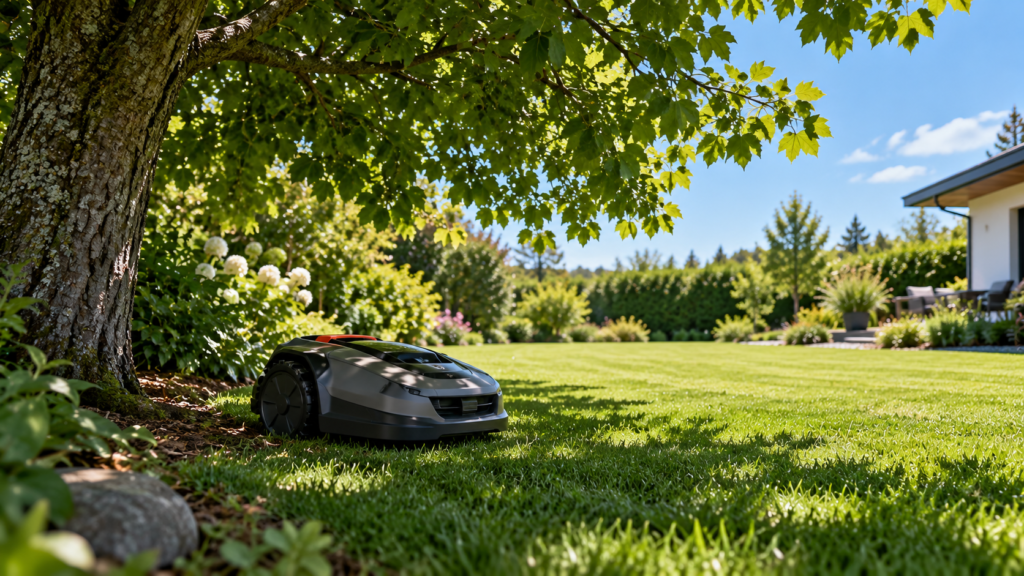
If your robot mower works normally in the open lawn but slows down, stops, loses position, or misses grass underneath trees, the trees may be interfering with its navigation.
But there is an important distinction:
Moving the RTK base station does not automatically fix a mower that cannot receive a good satellite signal underneath the tree canopy.
The problem can be at the mower, at the RTK reference station, or in the correction connection between them.
The fastest way to find out is to test where the signal returns.
Quick diagnosis
| What happens | Most useful first test |
|---|---|
| Mower loses position only under one tree | Drive it into open lawn and see whether positioning returns |
| Several heavily shaded areas cause problems | Compare open-sky areas with dense canopy |
| Signal is poor across the entire yard | Check the RTK reference station too |
| Problem is worse close to the house and trees | Test farther away from both obstructions |
| Mower has good satellite signal but poor RTK positioning | Check correction/reference-station connection |
| Mower stops in a narrow passage between trees/buildings | Test whether sky visibility is the limiting factor |
| Problem appeared as foliage became denser | Treat tree canopy as a likely contributor |
| Only the dock area has trouble | Check charging-station and docking-point placement |
If the mower recovers quickly as soon as it reaches open sky, that is one of the strongest clues that the local environment around the mower is involved.
For broader RTK problems that occur throughout the yard, start with our guide:
Robot Mower Losing RTK or GPS Signal? How to Find the Cause
Why trees can cause robot mower positioning problems
Satellite navigation works best when the receiver has a useful view of the sky.
A large tree can interfere in two ways.
The trunk and branches physically obstruct part of the sky, while a dense crown and leaves can reduce the quality of satellite signals reaching the receiver.
Mammotion’s positioning documentation specifically notes that trees, leaves, walls, fences, and other obstacles can weaken satellite signal quality even when the mower can still technically detect satellites.
Husqvarna similarly warns that dense trees with wide crowns can block satellite signals in the areas they cover. Its current EPOS guidance specifically identifies wide tree crowns as a potential source of limited satellite coverage.
This means a mower does not necessarily have to show zero satellites before it experiences navigation problems.
Signal quality matters too.
1. Do the open-sky test first
This is the most useful test in the entire article.
Test
When the mower loses its position underneath or beside a tree, move it into a clear section of lawn with a wide view of the sky.
Do not immediately restart it, move the RTK station, remap the property, or change several settings at once.
Instead, give the mower time to establish its position again.
What the result tells you
If positioning returns normally in the open lawn, the mower’s positioning hardware is probably capable of working and the problem is more likely connected to that particular location.
If positioning remains poor even in a wide-open area, you may have a broader RTK/GNSS, reference-station, correction-data, hardware, or software problem.
In that case, return to our broader troubleshooting guide rather than focusing only on the trees:
Robot Mower Losing RTK or GPS Signal? How to Find the Cause
2. Determine how much of the yard is actually affected
One problematic tree is very different from a lawn covered by mature tree canopy.
Look at the pattern rather than simply asking whether your yard has trees.
A mower that briefly struggles beneath one large maple may still be perfectly suitable for the property.
A mower that loses precise positioning across 30 or 40 percent of the mowable lawn presents a different problem.
Mammotion’s earlier compatibility guidance for its LUBA platform explicitly treated extensive tall-tree or wall coverage and long narrow lanes bordered by trees or walls as potentially unsuitable yard conditions. That guidance is model-specific, but it demonstrates why the percentage and location of obstruction matter, not simply the presence of trees.
So instead of:
“I have trees. Will RTK work?”
the better question is:
“Where in my mowable lawn does the mower have a usable view of the sky?”
That will eventually become an important part of how MowerCheck evaluates yard fit.
3. Check whether the mower or the RTK station has the weak signal
This is one of the easiest problems to misdiagnose.
Both the mower and a local RTK reference station rely on satellite information.
A tree near the mower can affect the mower.
A tree near the reference station can affect the reference station.
Those are not the same failure.
Test
If your manufacturer’s app exposes positioning details, compare the mower’s signal status with the reference station’s status.
For example, Mammotion exposes separate information for:
Satellites seen by the mower
Satellites seen by the RTK station
Satellites seen by both
Signal quality at the mower
Signal quality at the reference station
Connection to the reference station
That separation makes it much easier to diagnose whether the tree canopy affects the mower itself or whether the RTK station also has a poor installation location.
Solution
If the reference station shows good reception but the mower becomes weak only under a tree, relocating the station may provide little benefit.
The mower still needs usable positioning information while it is underneath that canopy.
If the reference station itself shows weak reception, then its placement deserves attention too.
4. Don’t move the RTK station just because there are trees
This is probably the most important mistake to avoid.
Imagine this yard:
RTK station → open sky
Mower → underneath dense mature tree
The reference station may have excellent satellite reception.
The mower may not.
Moving the reference station another 20 feet may do nothing about the tree canopy directly above the mower.
When moving the station can help
Relocation makes sense when the reference station itself has restricted sky visibility.
Mammotion currently recommends placing its RTK reference station in an open location and avoiding installation beneath trees, between structures, or in other obstructed positions. Some current Mammotion installation guidance recommends at least 10 ft of clearance from a wall or tree for the applicable system.
Husqvarna’s current local-reference-station guidance similarly calls for an installation at least 6.5 ft high with clear sky visibility.
But these numbers are manufacturer- and system-specific.
Do not apply one brand’s antenna-placement specification to another mower.
5. Pay attention to the tree crown, not only the trunk
A common installation mistake is keeping a virtual boundary away from the tree trunk while allowing the mower to travel directly under a very wide crown.
From a positioning perspective, the trunk isn’t the only relevant part of the tree.
The canopy above the mower can matter much more.
Test
Stand where the mower normally loses positioning and look upward.
How much open sky can you actually see?
Then move several feet away from the crown and perform the same test with the mower.
If the mower repeatedly loses accurate positioning beneath the crown and recovers outside it, you have a very useful diagnosis.
Solution
Depending on the layout, you may be able to:
move the virtual boundary slightly farther from the tree, create a no-go zone around the most difficult area, or alter the route so the mower spends less time beneath the densest part of the canopy.
Mammotion’s troubleshooting guidance specifically suggests modifying boundaries away from obstructed areas or creating no-go zones when poor mower positioning occurs beneath obstacles such as trees.
The goal isn’t necessarily to exclude the whole tree.
It is to determine whether a small boundary adjustment eliminates the unreliable navigation zone.
6. Consider seasonal tree cover
A mower can appear to work well in an area during one part of the year and become less reliable when foliage becomes denser.
That doesn’t necessarily mean the mower developed a hardware problem.
Leaves are among the obstacles Mammotion identifies as capable of degrading satellite signal quality.
So if the mower:
worked normally when branches were relatively open,
then began stopping in the same locations after the canopy became much denser,
the change in vegetation is worth considering before replacing hardware.
The useful test is still the same:
Does positioning recover once the mower leaves the canopy?
If yes, treat canopy coverage as a serious clue.
7. Check buildings near the trees too
Sometimes the tree gets blamed when the real difficulty is the combination of:
tree + house
or
tree + tall fence
or
trees on both sides of a narrow passage
Satellite visibility can become particularly difficult when the mower receives only a limited section of open sky.
Husqvarna lists both dense trees and tall structures among conditions that can cause limited satellite coverage.
Mammotion likewise identifies walls, fences, trees, and narrow lanes between high obstacles as relevant positioning conditions.
Test
Move the mower incrementally away from the structure.
If positioning improves farther into the lawn, the problem may be the combined obstruction, rather than the tree alone.
This distinction matters when you redesign a virtual boundary.
8. A narrow shaded side yard is a harder problem
Consider a strip of lawn between:
the house on one side
and
mature trees on the other.
Even if the strip itself is wide enough for the mower physically, its satellite view may be poor.
This is why minimum passage width alone does not tell you whether an RTK mower will navigate a passage successfully.
The navigation environment matters too.
If the mower repeatedly loses accurate position in a long, narrow, obstructed corridor, first test whether moving farther into open lawn restores positioning.
If it does, setup adjustments may help.
But if that corridor is an important part of the lawn and cannot be changed, this is exactly the sort of yard condition where navigation architecture becomes a buying consideration.
We’ll cover that more deeply in:
RTK vs LiDAR vs Vision Robot Mowers: Which Works Best for Your Yard?
9. Check whether your mower has a backup-navigation system
Not every RTK mower reacts to temporary satellite loss in the same way.
This is increasingly important in 2026.
Some systems are designed to supplement satellite navigation with another technology.
For example, current Husqvarna Automower models with AI vision can use their camera for limited backup navigation when satellite reception is temporarily lost, provided the mower can identify grass. Other compatible NERA models can use Husqvarna’s EPOS Support by Wire in selected weak-satellite areas.
Support by Wire is specifically intended for areas such as narrow passages and dense tree groups where satellite reception is weak.
That does not mean Husqvarna is automatically the best mower for tree-covered yards.
It illustrates something more important:
Two RTK mowers can behave very differently after satellite reception becomes weak.
When evaluating a robot mower for a wooded yard, don’t look only at whether the specification sheet says RTK.
Ask what happens when RTK isn’t available.
10. Local RTK and Network RTK solve different problems
Another common misunderstanding is assuming that Network RTK eliminates problems underneath trees because there is no base station in the yard.
It doesn’t necessarily.
Network RTK can remove the need for a local reference station, but the mower itself still relies on positioning information.
For example, Husqvarna states that its EPOS via Cloud system eliminates the local reference station but, depending on the model, still requires a good view of the sky across the lawn. Models with AI vision can supplement navigation in temporarily obscured areas.
Network correction can therefore solve:
“I can’t find a good place for my reference station.”
It does not automatically solve:
“My mower is driving underneath dense canopy.”
Those are different problems.
11. Wi-Fi is not the same as satellite reception
Don’t spend an afternoon moving your router because the mower loses GPS beneath a tree.
Wi-Fi and GNSS/RTK positioning are different systems.
Some Network RTK implementations need internet connectivity to receive correction data, so connectivity can matter.
But poor Wi-Fi does not magically create physical satellite visibility beneath a tree.
Navimow’s current troubleshooting guidance distinguishes physical GNSS obstruction from internet-related Network RTK problems. Dense trees, high walls, and buildings can obstruct satellite reception, while internet connectivity affects correction-data delivery in Network RTK systems.
Diagnose the signal that is actually failing.
12. Check the charging station if it sits under trees
Sometimes the mower operates well throughout the lawn but behaves badly when leaving or returning to the charging station.
That can look like a docking problem when positioning is actually involved.
Test
Watch the mower closely near the station.
Does it obtain accurate positioning only after moving away from the tree?
Does it hesitate repeatedly at the same point?
Does it work normally after reaching open lawn?
Solution
Check your manufacturer’s requirements for the charging station and docking point.
Husqvarna’s current EPOS troubleshooting guidance calls for an unobstructed sky view around the docking point and recommends substantial open space in front of the station for the applicable system.
Mammotion also recommends moving the charging station toward a more open-sky location when poor mower positioning occurs at the station.
We’ll cover this separately in:
Where to Place a Robot Mower Charging Station
13. When boundary changes are enough
A few weak-signal areas do not necessarily justify buying another mower.
Suppose the mower handles 95% of the yard perfectly but struggles underneath one large tree at the far edge.
If moving the virtual boundary slightly outward from the canopy removes the problem without sacrificing meaningful lawn coverage, that may be the best solution.
Likewise, a small no-go zone can sometimes be preferable to redesigning the whole installation.
The objective is not:
“Make RTK perfect everywhere.”
It is:
“Can the mower reliably maintain the lawn I actually need it to mow?”
That is a much more practical test.
14. When the navigation technology may be the wrong fit
This is where the article becomes different from generic RTK troubleshooting.
Suppose you have:
heavy mature tree canopy over large parts of the lawn,
multiple shaded sections close to buildings,
long obstructed passages,
and repeated positioning loss even after the base station and installation are optimized.
At that point, continuously moving the antenna or redrawing boundaries may not address the real problem.
The yard may simply place too much importance on locations where satellite navigation struggles.
This doesn’t automatically mean:
“Buy LiDAR.”
It means you should compare navigation architectures.
A system using LiDAR, vision, or a hybrid combination may deserve consideration because it can gather local environmental information in ways that do not rely exclusively on satellite visibility.
But there are tradeoffs.
LiDAR, cameras, RTK, perimeter wire, inertial sensing, and hybrid systems all have different limitations.
That’s exactly why our next technology guide will be:
RTK vs LiDAR vs Vision Robot Mowers: Which Works Best for Your Yard?
And eventually we’ll connect that guide to:
Best Robot Lawn Mowers for Yards With Trees
That recommendation page will evaluate products based on the type and severity of tree cover—not simply rank five mowers by affiliate commission.
What actually helps under trees?
The answer depends on what your testing shows.
| Diagnosis | What is most likely to help |
|---|---|
| RTK station itself has poor sky visibility | Improve reference-station placement |
| Mower fails only underneath one crown | Adjust boundary/no-go area if practical |
| Mower fails beside tree + building | Increase distance from obstructions if possible |
| Charging station is beneath dense canopy | Reconsider station/docking location |
| One weak area on a compatible system | Use the manufacturer’s fallback/support feature if available |
| Network RTK correction is dropping | Troubleshoot internet/cellular correction service |
| Large parts of the lawn have dense canopy | Compare alternative/hybrid navigation systems |
| Signal remains poor even in open sky | Troubleshoot mower/reference station rather than blaming trees |
The important lesson is:
Fix the part that is actually failing.
Common mistakes
The biggest mistake is moving the RTK station when only the mower has poor reception underneath a tree.
Another is assuming that an RTK station with excellent reception guarantees perfect mower positioning everywhere.
It doesn’t.
Avoid treating Wi-Fi, RTK correction, and satellite reception as one signal. They can be separate parts of the system.
And don’t assume every robot mower marketed as “RTK” handles tree cover the same way. Backup navigation and behavior after signal loss can differ substantially between systems.
When to contact the manufacturer
Manufacturer support becomes worthwhile when the mower cannot establish accurate positioning even in an open-sky area, when the reference station consistently reports poor status despite correct installation, when positioning suddenly deteriorates everywhere without an obvious yard change, or when the app reports persistent positioning/hardware faults.
Before contacting support, capture screenshots of the mower and reference-station positioning status and take a photo of the exact part of the yard where the mower fails.
A picture showing the surrounding canopy and buildings can be more useful than simply telling support:
“GPS doesn’t work.”
Safety note
Don’t climb onto a roof or use an unsafe ladder arrangement simply to obtain better satellite reception.
If the manufacturer’s recommended reference-station installation requires high mounting, use appropriate equipment or professional installation.
Do not open sealed mower, reference-station, or charging electronics to diagnose a satellite reception problem.
FAQ
Can robot lawn mowers work under trees?
Yes, many can. The important question is the density and extent of the canopy, the mower’s navigation system, and what backup navigation is available when satellite reception weakens.
A few isolated trees are very different from a lawn covered by dense mature canopy.
Do trees block RTK?
Trees can reduce satellite signal quality at either the mower or the RTK reference station. RTK correction does not eliminate the need for usable positioning signals at the relevant receivers. Manufacturer documentation from both Husqvarna and Mammotion identifies dense trees as a potential source of weak satellite positioning.
Will moving the RTK base station fix signal under trees?
Only if the reference station is part of the problem.
If the reference station already has excellent sky visibility and the mower loses positioning only while driving under dense canopy, moving the station may not solve the mower’s own satellite reception problem.
Does an RTK mower need to see the base station?
Not always.
The communication method differs between systems. Mammotion, for example, states that its applicable LUBA system does not require direct line of sight from every part of the lawn to the RTK reference station, although suitable satellite reception remains necessary.
Always check the requirements for your specific model.
Will Network RTK work better under trees?
It can eliminate the need for a local reference station, but it does not automatically eliminate poor satellite reception at the mower.
The answer depends on the mower’s complete navigation system and whether it has visual, LiDAR, inertial, wire-based, or other backup capabilities.
Is LiDAR better for a yard with lots of trees?
LiDAR has an important theoretical advantage in obstructed areas because local laser sensing does not require the same direct satellite visibility as GNSS positioning.
But that alone does not make every LiDAR mower better.
Obstacle handling, mapping, slopes, grass-edge detection, range, localization, software, and product implementation also matter.
We’ll compare these systems separately rather than make a blanket recommendation.
Final checklist
Before deciding that your mower can’t handle your trees:
- Test the mower in open sky immediately after a signal failure
- Identify whether the failure occurs in one location or across the yard
- Check mower satellite quality if the app provides it
- Check RTK reference-station quality separately
- Inspect the full tree crown, not just the trunk
- Check nearby walls, buildings and fences
- Inspect the charging/docking area
- Check whether the mower supports backup navigation
- Adjust boundaries or no-go zones only where practical
- Don’t move the RTK station without confirming that it is part of the problem
- Consider another navigation architecture only when yard-wide obstruction remains a persistent limitation
The key question isn’t simply:
“Do I have trees?”
It’s:
“How much of my lawn loses usable positioning because of those trees, and what does my mower do when that happens?”
That answer tells you whether you need a small setup adjustment—or a fundamentally different navigation approach.