
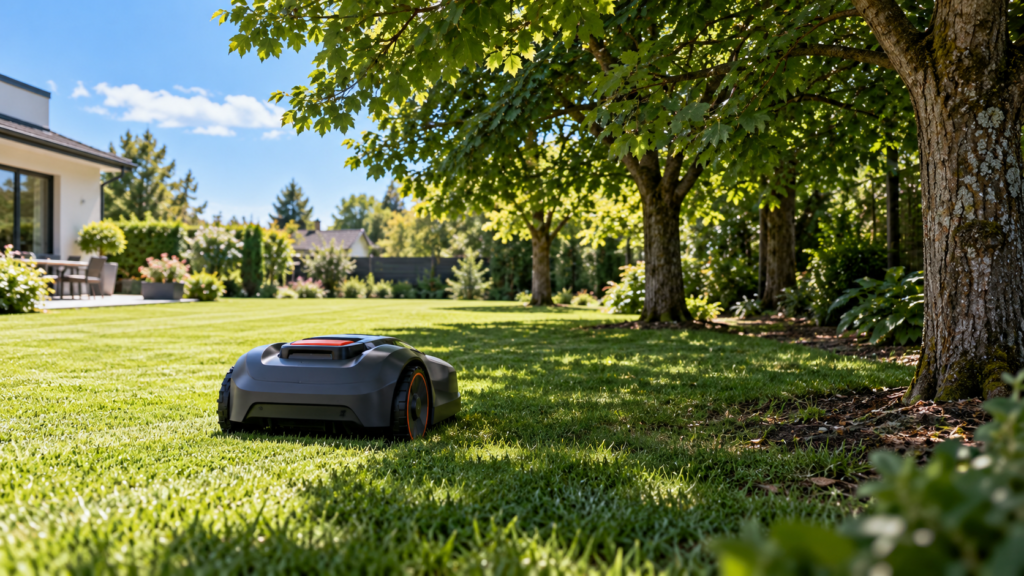
Yes—robot lawn mowers can work under trees, but how well they perform depends heavily on the navigation system, the density of the canopy, the ground around the trees, and how much of the lawn is affected.
A mower crossing beneath one isolated tree is very different from a mower expected to maintain a yard covered by mature oak or maple canopy.
For satellite-based mowers, trees can weaken GNSS/RTK positioning. LiDAR and vision-based systems can reduce that dependency, while modern hybrid mowers increasingly combine several navigation technologies.
And navigation is only part of the problem.
Large roots, narrow spaces around trunks, fallen branches, uneven ground, and poor charging-station placement can also determine whether a mower works reliably around trees.
Quick answer
| Yard situation | What matters most |
|---|---|
| One or two isolated trees | Most modern systems can usually cope |
| Light/partial canopy | RTK with good fallback may work well |
| Dense mature canopy | Prioritize local navigation such as LiDAR/hybrid systems |
| Trees beside the house | Satellite obstruction can become more severe |
| Narrow grass corridor under trees | Navigation + mower width both matter |
| Large exposed roots | Ground clearance and obstacle handling matter |
| Dock underneath tree canopy | Positioning around the charging station may suffer |
| Trees covering much of the lawn | Navigation architecture becomes a major buying factor |
The main question isn’t simply:
Does the yard have trees?
It is:
How much of the mowable lawn is underneath or beside conditions that interfere with the mower?
Why trees are difficult for some robot mowers
Trees create several different challenges at once.
The most obvious is satellite obstruction.
Dense crowns can reduce the mower’s view of the sky. Husqvarna’s current EPOS guidance specifically says tall buildings and dense trees with wide crowns can block satellite signals in the areas they cover.
Mammotion’s support documentation similarly says trees, leaves, walls, and fences can weaken the satellite signal received by applicable LUBA systems.
But trees can also create:
uneven terrain around roots, narrow mowing spaces, physical obstacles, fallen branches, deep shade, and difficult docking locations.
So “tree compatibility” should never be judged from the navigation specification alone.
1. An open lawn with a few trees is usually much easier
If most of the lawn has clear sky and there are just one or two isolated trees, you shouldn’t automatically rule out an RTK mower.
The mower may spend only a short time beneath the canopy before returning to a better satellite environment.
Some systems can also temporarily continue using another navigation method when satellite reception becomes weak.
For example, current Husqvarna AI-vision models can use the camera as backup navigation in weak-satellite areas, while compatible NERA models can use EPOS Support by Wire.
The important factor is therefore not simply:
“There is a tree.”
It is:
How large is the signal-obstructed area, and what does the mower do while crossing it?
2. Dense canopy is a different problem
A yard where mature tree crowns cover a large percentage of the lawn is much more demanding.
Satellite-based navigation works best when the mower has access to useful GNSS signals from multiple directions.
Dense leaves and branches can reduce that visibility.
Mammotion’s older LUBA suitability guidance, for example, specifically tells users with lawns heavily surrounded by tall walls or trees to evaluate the yard carefully and recommends keeping boundaries away from high trees and obstructed narrow lanes for the applicable system.
If your mower already loses position underneath trees, our dedicated troubleshooting article goes deeper into that problem:
Robot Mower Loses Signal Under Trees? What Actually Helps
Link that text to Article #2.
3. Moving the RTK base station does not always solve tree problems
This is an important distinction.
Consider this situation:
RTK station: clear open sky
Mower: underneath dense tree canopy
The reference station may be working perfectly.
The mower itself may be the device struggling to receive usable satellite signals.
Mammotion’s diagnostic tools explicitly separate satellite quality at the mower from satellite quality at the RTK reference station.
So don’t assume:
tree problem = move antenna.
First establish whether the mower or the reference station has the weak reception.
For station-placement problems, link readers to:
Robot Mower RTK Base Station Placement Guide
4. LiDAR becomes especially interesting under trees
LiDAR navigation does not depend on satellite visibility in the same way RTK does.
Instead, it scans the physical environment around the mower.
That makes it particularly interesting for:
tree canopy, buildings, shaded side yards, and other satellite-obstructed locations.
Current Navimow i2 LiDAR documentation says its LiDAR + vision navigation operates under trees and through narrow passages without relying on satellite positioning for the i2 LiDAR system.
ECOVACS similarly says its current GOAT A3000 LiDAR uses dual-LiDAR mapping and is designed to navigate complex environments without being disrupted by tree shadows or roofs.
Those are manufacturer claims, not MowerCheck hands-on test results, but they demonstrate why LiDAR is becoming an important option for tree-covered lawns.
5. Hybrid navigation may be even more important than LiDAR alone
The market is increasingly moving toward combinations such as:
RTK + LiDAR + Vision
rather than relying on one technology.
Navimow’s current H2 system, for example, combines LiDAR, Network RTK, and vision. Navimow says LiDAR takes over beneath tree canopy while Network RTK handles open terrain.
ECOVACS also sells systems combining RTK positioning with 3D-ToF LiDAR and vision, while other GOAT models use LiDAR and vision without an RTK antenna.
This is why I would not frame a buying decision as:
“RTK or LiDAR?”
Instead ask:
What happens when this mower’s primary navigation becomes weak?
For the detailed comparison, link to Article #5:
RTK vs LiDAR vs Vision Robot Mowers: Which Navigation Fits Your Yard?
6. Cameras can help—but “vision” doesn’t mean the same thing on every mower
Vision systems can help a mower understand:
grass, tree trunks, paths, edges, people, animals, toys, and other obstacles.
But cameras are used differently between manufacturers.
On one mower, the camera may mainly handle obstacle detection.
On another, it may also help localization or take over temporarily when satellite positioning is weak.
Husqvarna’s current AI-vision implementation is an example of the latter: when satellite reception is temporarily lost, compatible mowers can use the camera to determine whether they remain on grass and continue for a limited distance.
So don’t judge a mower merely because the specification says:
“AI camera.”
Find out what the camera actually does for navigation.
7. Tree roots can be just as important as the canopy
A mower can have perfect positioning and still fail around trees because of the ground.
Common problems include:
raised roots, holes between roots, exposed soil, steep root flare, fallen branches, and uneven ground around the trunk.
ECOVACS’ support documentation, for example, recommends creating restricted areas around large trees with protruding roots or slopes around their roots for applicable GOAT models.
This illustrates an important MowerCheck principle:
Navigation fit and terrain fit are separate questions.
When evaluating a mower for a wooded yard, we eventually need to check:
ground clearance, wheel traction, obstacle-crossing ability, slope capability, and whether the mower can safely operate around exposed roots.
A mower that navigates beautifully but constantly high-centers on roots is still a poor match.
8. The space between trees matters
A lawn with several trees can create narrow grass corridors.
The mower therefore needs enough physical space and a navigation system capable of working there.
Imagine a passage with:
tree canopy overhead, the house on one side, and a fence on the other.
Even if the mower physically fits, an RTK-first system may have limited sky visibility.
A LiDAR or hybrid system may be better equipped to localize using the surrounding environment.
Current Navimow i2 LiDAR documentation advertises navigation through passages around 2.3 ft wide, while current ECOVACS LiDAR systems publish narrow-passage capabilities around roughly 2.6–3 ft depending on the model. Those are product-specific claims, not universal LiDAR capabilities.
Never assume:
LiDAR = fits every narrow passage.
Physical mower dimensions still matter.
9. Trees beside buildings can be especially difficult
A mature tree by itself may still leave substantial open sky.
A mature tree beside a two-story house can create a much narrower satellite window.
The same applies to:
tree + garage
tree + tall fence
trees on both sides of a side yard
Husqvarna specifically identifies both dense tree crowns and tall structures as possible satellite obstructions for EPOS installations.
If your lawn contains these combinations, place greater value on local navigation resilience rather than judging suitability based only on total acreage.
10. Don’t forget the charging station
A mower might navigate most of the yard perfectly but struggle around a charging station placed underneath dense branches or immediately beside a building.
Husqvarna’s current EPOS troubleshooting documentation notes that dense trees and buildings can interfere with creating or using a reliable docking point because the mower needs sufficient satellite positioning there.
Mammotion also recommends moving applicable charging stations into a more open-sky area when poor mower positioning occurs there.
So if you’re planning a tree-covered property, ask:
Where can the dock go?
not only:
Where will the mower cut?
11. Seasonal canopy can change performance
A yard can become a more difficult navigation environment as vegetation changes.
A tree with sparse branches early in the season may provide a very different satellite environment once the crown is full of leaves.
Mammotion specifically includes leaves among the obstacles that can weaken satellite reception.
This means a mower that maps successfully when the trees are relatively bare may encounter more difficult conditions later.
When evaluating a yard before purchase, think about the densest normal canopy, not only what the lawn looks like on installation day.
12. Shade itself is not necessarily the problem
A shaded lawn does not automatically mean a mower cannot operate.
The important distinction is why the area is shaded.
Shade from a small ornamental tree is different from deep canopy beneath several mature trees.
And a LiDAR system may work normally in shade because local laser mapping doesn’t depend on visible sunlight in the same way a conventional camera might.
Current ECOVACS and Navimow LiDAR systems explicitly advertise day/night and shaded-area operation.
So don’t use:
“My lawn is shady”
as the only compatibility test.
Analyze the actual obstructions.
So what navigation should you investigate?
Here’s the practical MowerCheck view:
| Your yard | Technology worth investigating first |
|---|---|
| Mostly open + few isolated trees | RTK or hybrid RTK |
| Partial canopy | RTK with proven fallback or hybrid |
| Large areas beneath dense canopy | LiDAR-first or strong hybrid |
| Trees + house + narrow passages | LiDAR / local-navigation-heavy hybrid |
| Open acreage with trees only around edges | RTK remains very attractive |
| Trees + changing obstacles | Strong vision + reliable positioning |
| Trees + exposed roots / rough terrain | Navigation plus traction/clearance |
This does not mean one technology automatically wins.
We’re narrowing the shortlist.
The actual product still needs to fit your lawn size, terrain, cutting height, slopes, zones, and budget.
When should tree cover influence the mower you buy?
A single difficult spot usually isn’t enough reason to reject an otherwise suitable mower.
You may be able to:
adjust the virtual boundary, use a small no-go zone, use the manufacturer’s weak-signal fallback, or simply exclude an area immediately around the tree.
But if substantial portions of your mowable lawn sit beneath dense canopy or beside major obstructions, navigation architecture should become one of your top buying criteria.
That is the commercial bridge for MowerCheck.
We should not tell someone:
“Your mower lost signal—buy another one.”
Instead:
First determine whether the problem is fixable. If the yard itself is fundamentally mismatched to the navigation technology, then compare better-suited systems.
Common mistakes
The biggest mistake is assuming that all robot mowers have the same problem beneath trees.
They don’t.
An RTK-first mower, a LiDAR-first mower, and a hybrid RTK/LiDAR/vision system can behave very differently in exactly the same yard.
Another mistake is focusing entirely on navigation while ignoring exposed roots and terrain.
And don’t assume that placing the RTK reference station in perfect open sky guarantees that the mower itself will have a reliable satellite signal underneath dense canopy.
FAQ
Can a robot lawn mower mow underneath trees?
Yes. Many robot mowers can work beneath trees.
How reliably depends on canopy density, navigation technology, nearby buildings, terrain, and what the mower does when its primary positioning becomes weak.
Do trees block robot mower GPS?
Dense tree crowns can weaken or block satellite signals.
Both Husqvarna and Mammotion currently document trees as a potential source of poor satellite reception for applicable satellite-positioned mowers.
Is LiDAR better for lawns with trees?
LiDAR has an important advantage because it can map the local environment without relying on satellite visibility in the same way RTK does.
Current LiDAR mower manufacturers specifically promote under-tree operation. However, that does not prove every LiDAR mower is better than every RTK mower.
Can an RTK mower work in a wooded yard?
Possibly.
It depends on how much of the lawn has usable satellite visibility and what backup navigation the mower provides.
Some modern RTK systems supplement satellite navigation with vision, LiDAR, support wire, or other technologies.
Will Network RTK solve tree-cover problems?
Not necessarily.
Network RTK can remove the need for a local physical reference station, but the mower may still need satellite reception.
A hybrid system that switches to local navigation when satellite signals disappear can be more relevant under dense canopy.
Can robot mowers handle tree roots?
Some can handle moderate uneven terrain, but large exposed roots can trap, lift, or destabilize a mower.
Check ground clearance, traction, obstacle-crossing capability, and manufacturer guidance. For some products, manufacturers recommend excluding large protruding roots from the mowing area.
Should I create no-go zones around trees?
Not necessarily around every tree.
A normal tree trunk may be handled as an obstacle by many modern systems.
No-go zones become more useful around protruding roots, difficult terrain, flower beds, dangerous obstacles, or areas where positioning consistently fails.
Final checklist
Before buying or configuring a robot mower for a tree-covered yard:
- Estimate how much of the mowable lawn is under dense canopy
- Check whether buildings compound the tree obstruction
- Identify narrow shaded passages
- Look for exposed roots and uneven terrain
- Check where the charging station can be installed
- Determine whether the mower depends primarily on RTK
- Find out what happens when satellite positioning becomes weak
- Check whether it uses LiDAR, vision, wire, or another fallback
- Verify night capability if nighttime mowing matters
- Evaluate traction and ground clearance separately from navigation
- Consider seasonal leaf cover, not only today’s yard
- Choose the complete mower system—not merely the sensor acronym
The short answer is:
Yes, robot lawn mowers can work very well around trees—but the more of your lawn that sits beneath dense canopy, the more important local and hybrid navigation becomes.